Role Navigation
Swipe roles, tap to open submenuAdmin • Billing / Invoices
Standalone submenu content with role-aligned workflow and execution checkpoints.
Overview
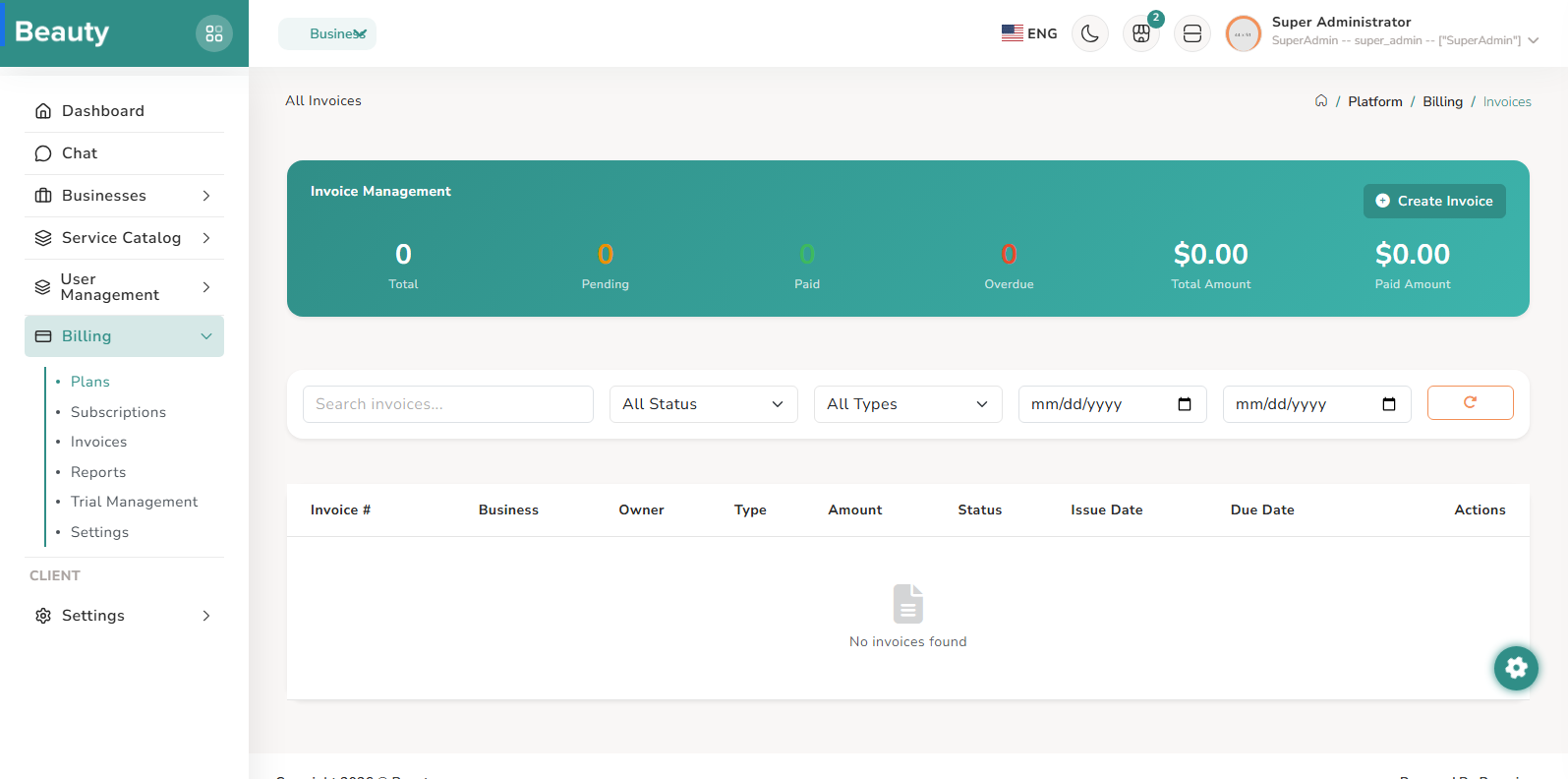
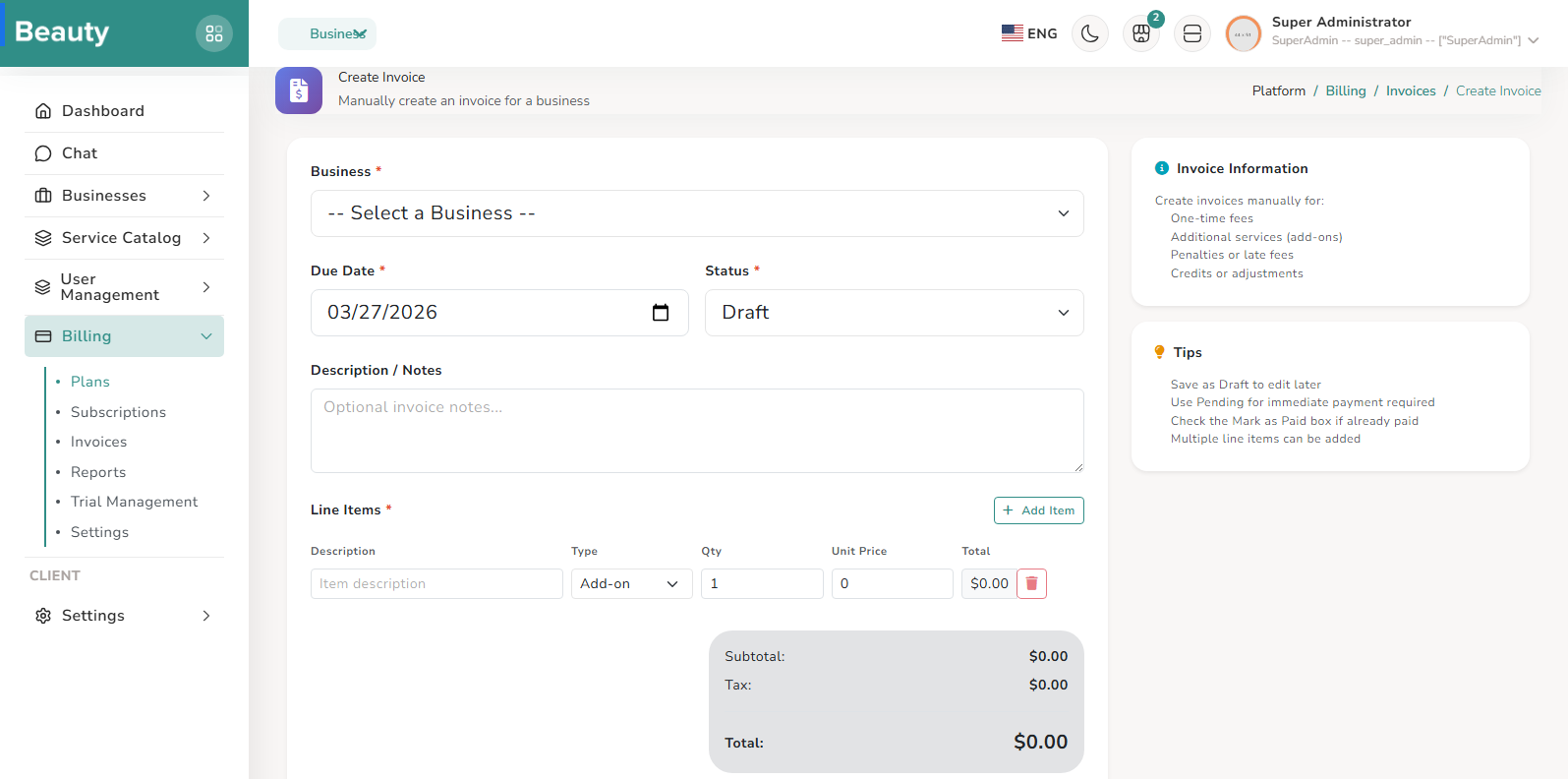
The Invoices pages support full invoice operations from generation to review. The index blade offers status/type/date filtering and action links; the create page supports manual issuance; the show page supports detailed review with preview/download pathways. Normal usage begins with list filtering, then either creation for an operational need or review of an existing invoice for investigation and follow-through.
Workflow Execution Steps
- Begin with list filtering by status, type, and date.
- Create manually when needed or review an existing invoice with preview/download pathways.
- Follow through investigation and resolution based on detailed review.
Reference Screenshots