Role Navigation
Swipe roles, tap to open submenuAdmin • Businesses / All Businesses
Standalone submenu content with role-aligned workflow and execution checkpoints.
Overview
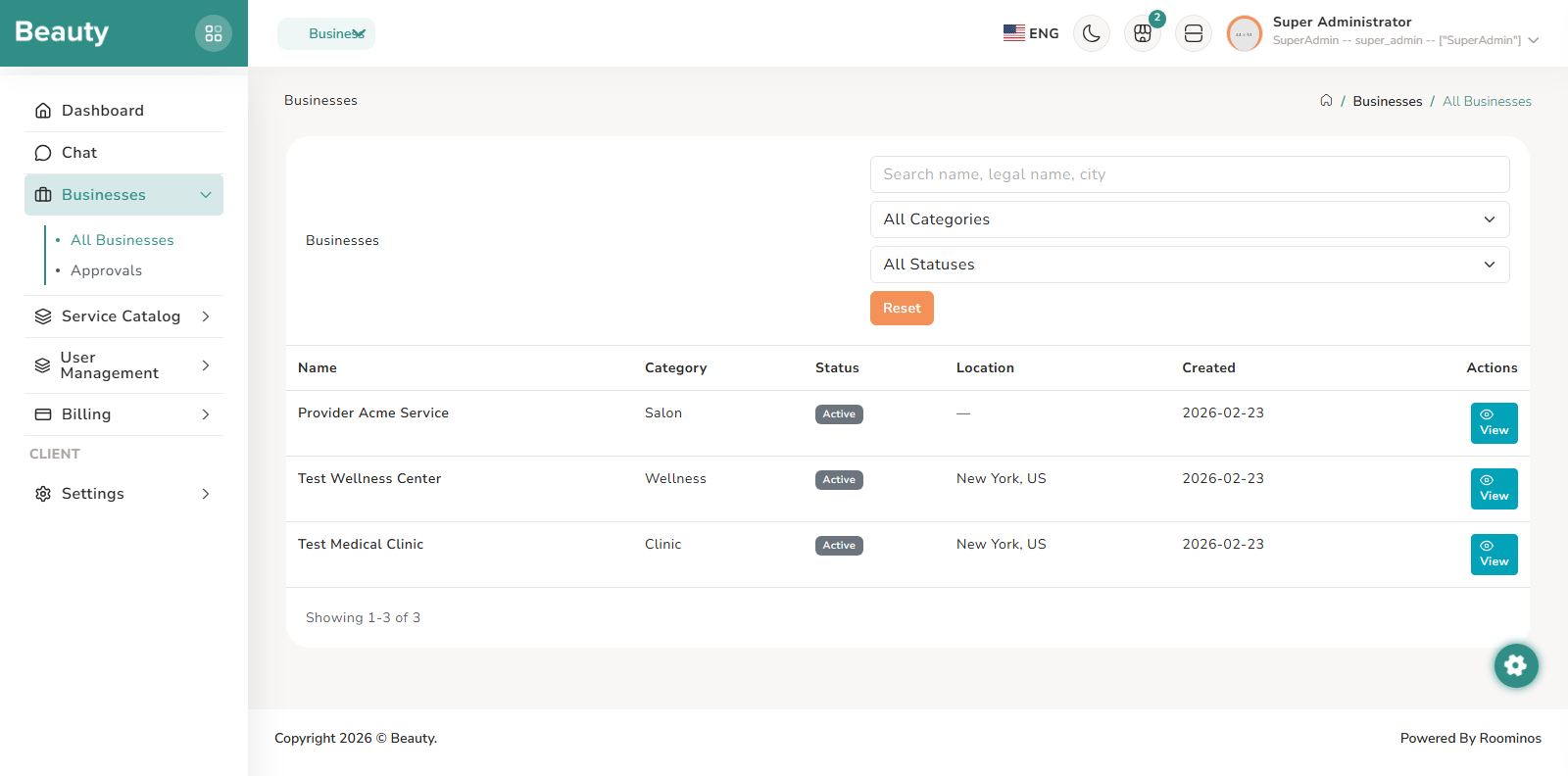
The Businesses list page is designed as a review and triage surface. The blade operates as a filter-first table workspace, giving admins live search, category/status narrowing, and quick reset behavior to move between cases without page friction. The expected workflow is to identify a target business from the list, open its detail page, and continue analysis there rather than taking major actions directly from the table. The Business detail page is a consolidated operational dossier for one tenant. The blade operates as a structured information stack where identity, location, ownership, membership, subscription state, and invoice context are all visible in one review pass. The normal workflow is to verify ownership and member integrity first, then evaluate subscription health and invoice history, and only then choose corrective actions if required. Two major corrective paths are exposed from this page: plan management for subscription correction and access repair for role/permission integrity repair. The Manage Plan page is explicitly a controlled override workflow. The blade operates with a strong confirmation model: current plan status, selectable target plans, mandatory reason entry, and visible audit context before final confirmation. This means the intended process is deliberate: review current state, choose the intended target plan, document why the override is necessary, then confirm. The same page also surfaces audit history so the admin can see previous manual changes and avoid repeating inconsistent interventions. The Access Repair page is a remediation page for broken membership or permission state. The blade operates as a targeted repair console: it surfaces health indicators first and then presents bounded repair actions such as creating missing business-scoped roles, reassigning default permissions, and restoring owner admin role assignments. The non-exceptional workflow is diagnostic first, action second: read the current state summary, run only the required repair step, and validate the outcome through user/business detail context.
Workflow Execution Steps
- Use the list as a filter-first triage workspace, then open business detail for analysis.
- Verify ownership and member integrity first, then evaluate subscription health and invoice history.
- Run deliberate plan management or diagnostic-first access repair only when required.
Reference Screenshots