Role Navigation
Swipe roles, tap to open submenuAdmin • User Management / Roles
Standalone submenu content with role-aligned workflow and execution checkpoints.
Overview
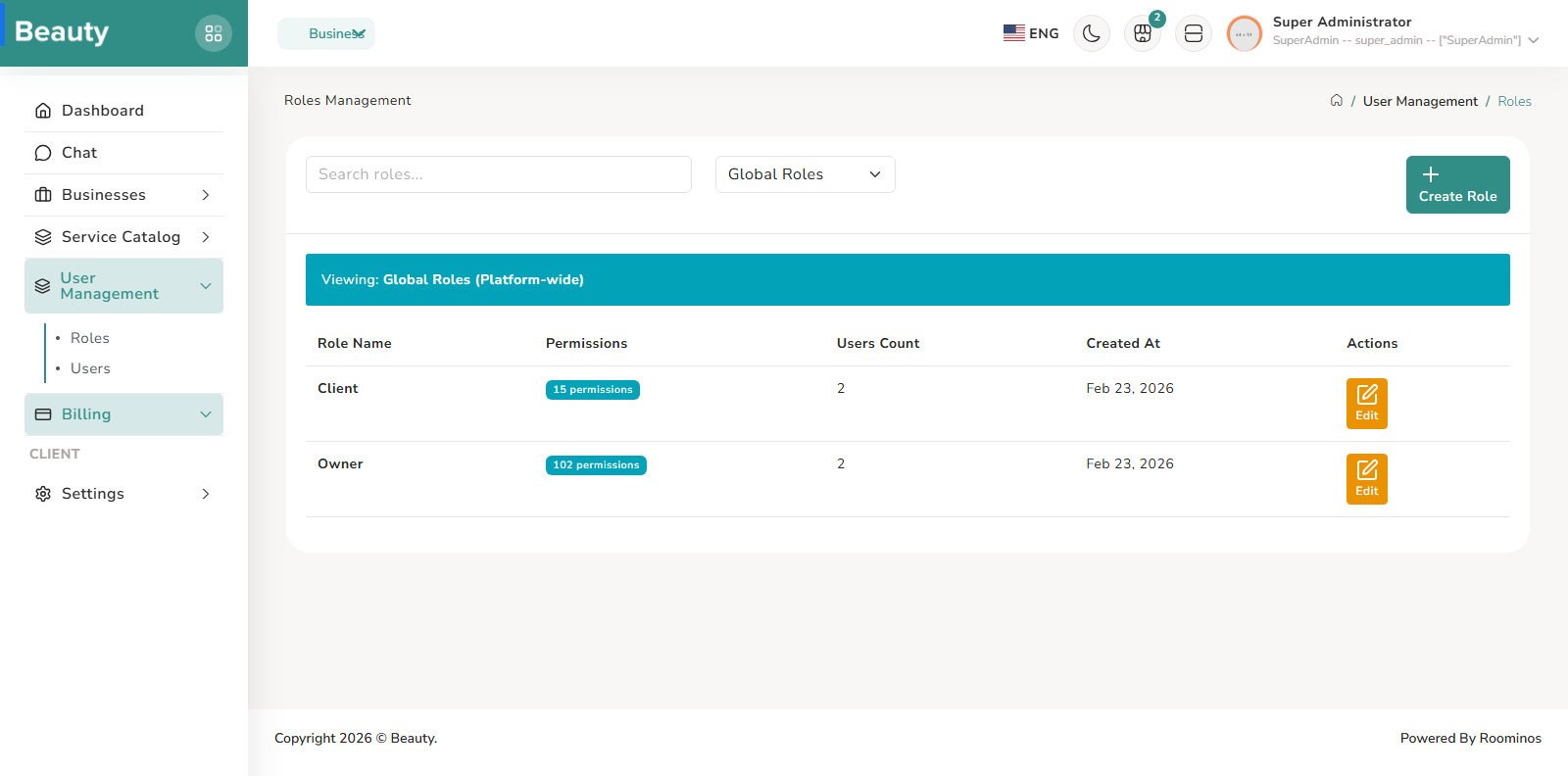
The Roles index blade is designed for governance visibility, with role search, context filtering, and safe management actions. The intended flow is to review role inventory first, then open create or edit for permission structure updates, and only delete roles when no users depend on them. This keeps role hygiene stable and avoids accidental access regression. The Role form blade is permission-composition oriented. Admins define role identity and select permission groups in one place. The real operational pattern is to make minimal, intentional permission changes tied to a clear responsibility boundary, then save and validate downstream user assignments.
Workflow Execution Steps
- Review role inventory first, then open create/edit for permission structure updates.
- Delete roles only when no users depend on them.
- Make minimal intentional permission changes, then validate downstream user assignments.
Reference Screenshots