Role Navigation
Swipe roles, tap to open submenuClient • My Appointments
Standalone submenu content with role-aligned workflow and execution checkpoints.
Overview
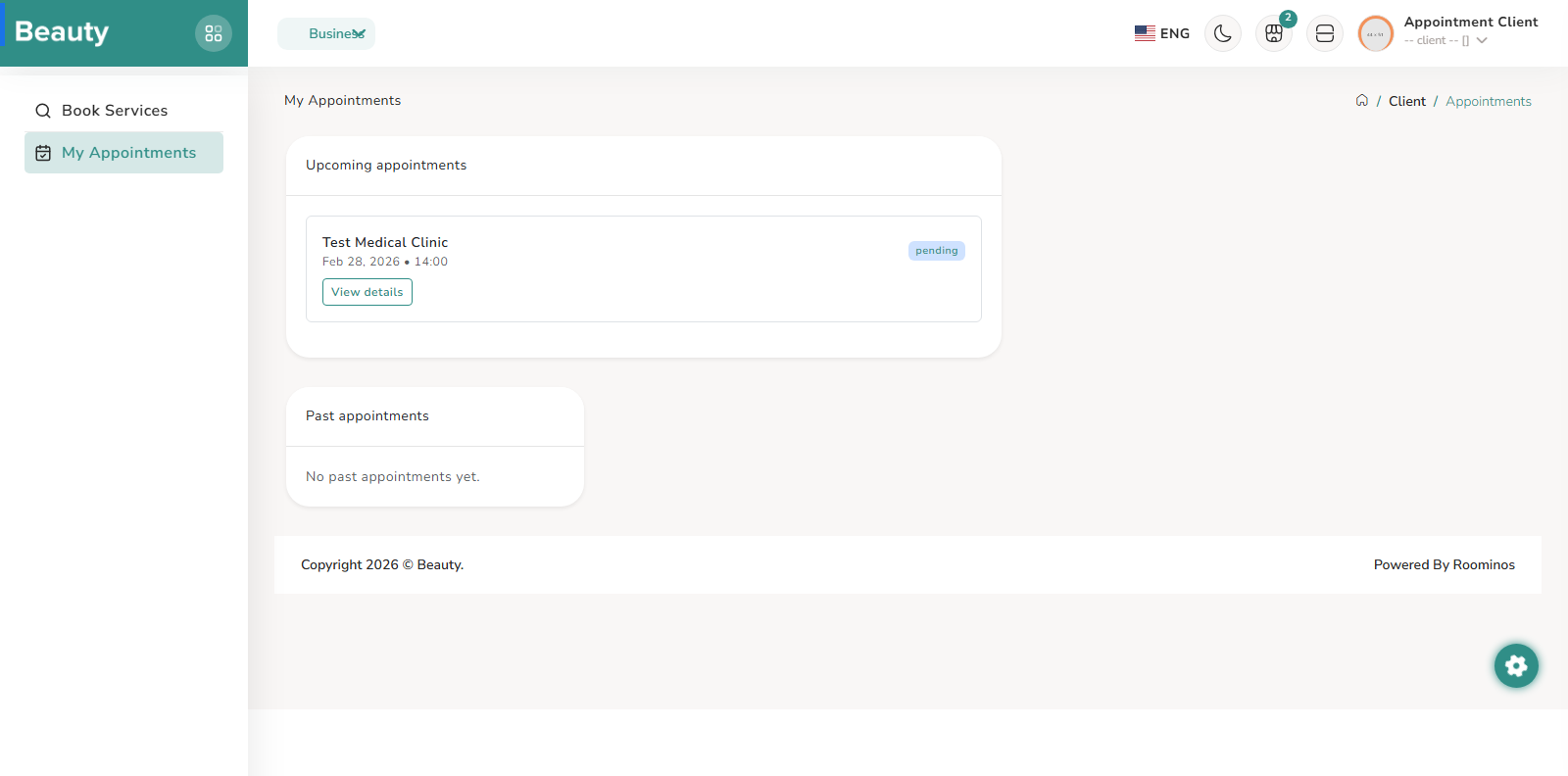
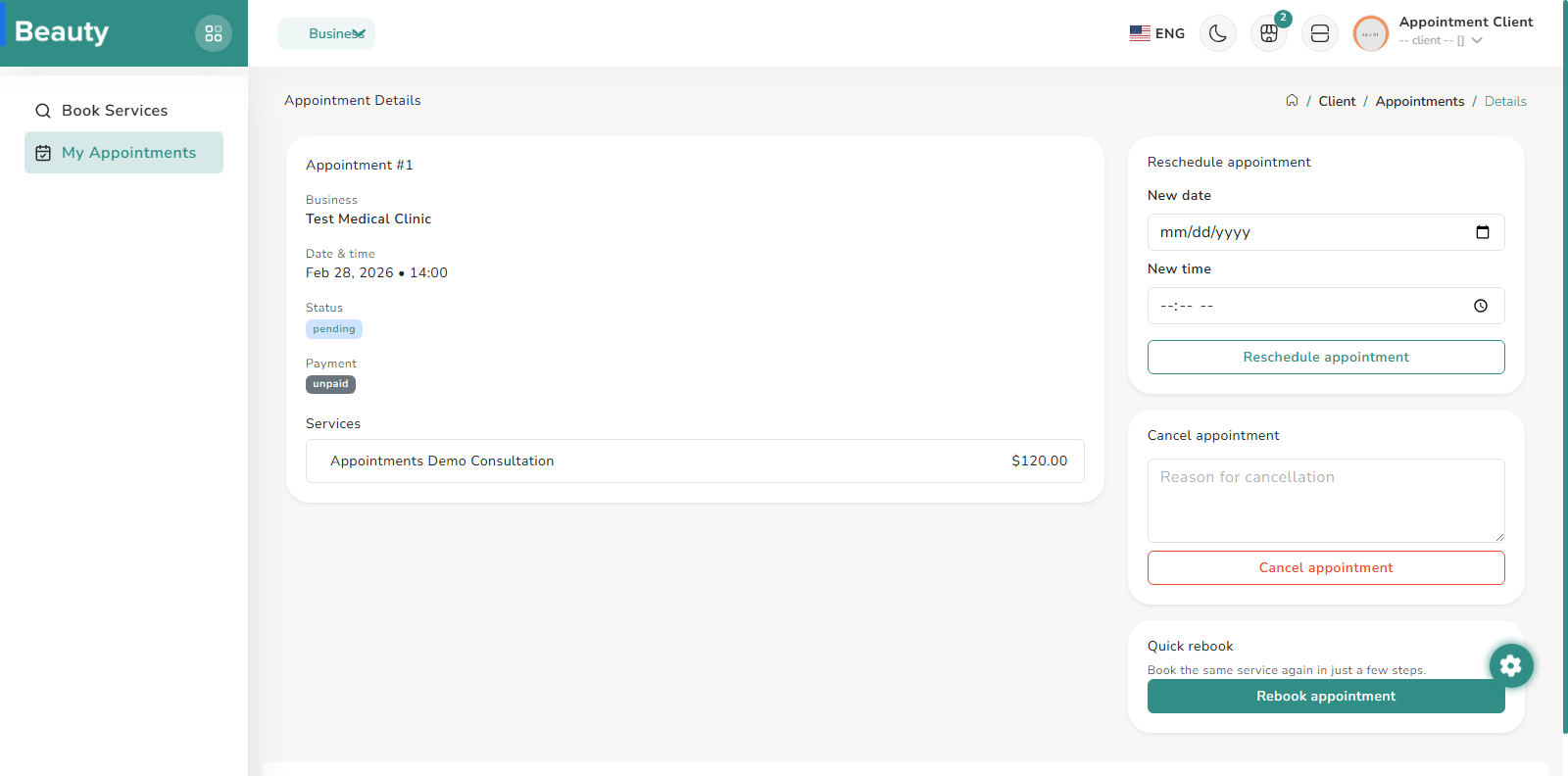
My Appointments is the lifecycle control center for the client after booking. It is split into upcoming and past appointment components so the customer can immediately distinguish actionable upcoming visits from historical records. The expected client behavior is to review upcoming bookings first, then open detail pages for edits or status checks, while using past history for reference and rebooking decisions. The appointment detail page is a consolidated record view showing business, schedule, status, payment posture, and line-item services. Alongside the detail panel, clients get workflow actions through embedded partials for rescheduling, cancellation, and quick rebook. This creates a single decision surface where clients can modify active bookings or start repeat actions without leaving context. Reschedule flow captures new date and time inputs and validates change requests before applying updates. Cancel flow handles customer-initiated cancellation pathing, and quick rebook supports repeat service behavior from prior appointment context. Together, these actions form the post-booking self-service lifecycle that reduces manual support dependency. After booking completion, the appointment-complete page acts as confirmation handoff with appointment reference, schedule summary, total, and payment status visibility. It provides direct continuation paths back to appointment detail or the appointments dashboard. The intended client flow is to confirm booking details immediately, then manage ongoing status from My Appointments. Client chat is available through private appointment-scoped chat routes. Communication is therefore tied to specific appointment context rather than a broad unscoped messaging center, helping clients and providers coordinate around concrete booking records. In practical usage, clients reach chat from appointment flows when clarification or follow-up is needed. Client appointment routes under the user prefix are the canonical destination for current behavior. Legacy booking route patterns are redirected to appointments routes so existing links continue to work while preserving a single source of truth for client management screens. Operationally, documentation and user guidance should always use appointments naming and URLs as the canonical path. Client role scope is intentionally constrained to customer workflows. Provider and admin operational surfaces are outside client role intent and are protected by separate middleware and role checks. Any missing navigation entry for a client user should be interpreted as role-policy behavior, not broken UI, because the client experience is deliberately minimal and booking-centric.
Workflow Execution Steps
- Open My Appointments -> review upcoming/past sections -> open specific appointment detail -> perform allowed action (reschedule/cancel/rebook) -> verify updated state.
- Open appointment detail -> validate status/payment/services -> run reschedule/cancel/quick-rebook action if needed -> confirm resulting lifecycle status.
- Confirm appointment-complete handoff details and continue lifecycle management through canonical appointments routes.
Reference Screenshots