Role Navigation
Swipe roles, tap to open submenuProvider • Staff / Team Members
Standalone submenu content with role-aligned workflow and execution checkpoints.
Overview
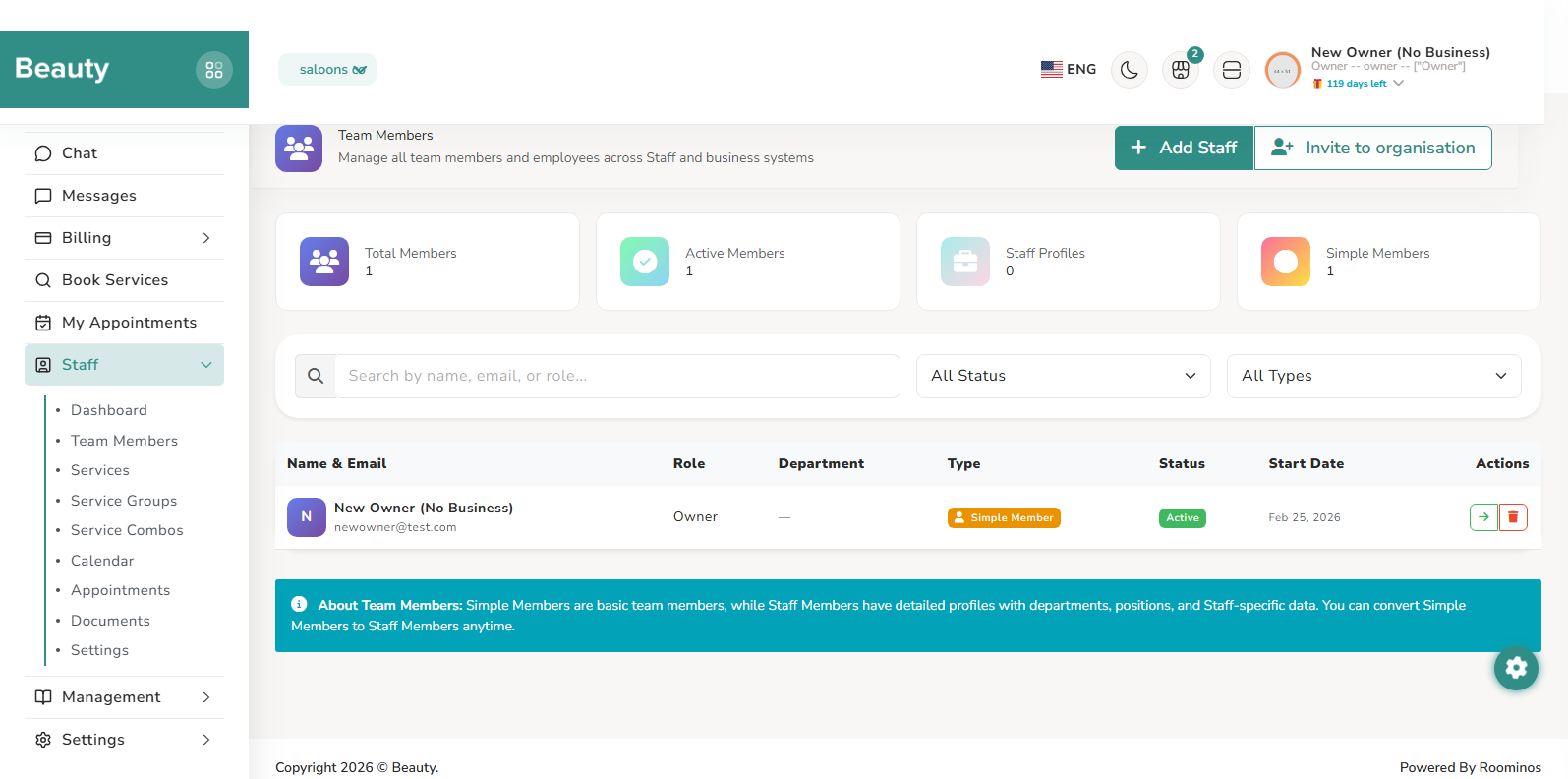
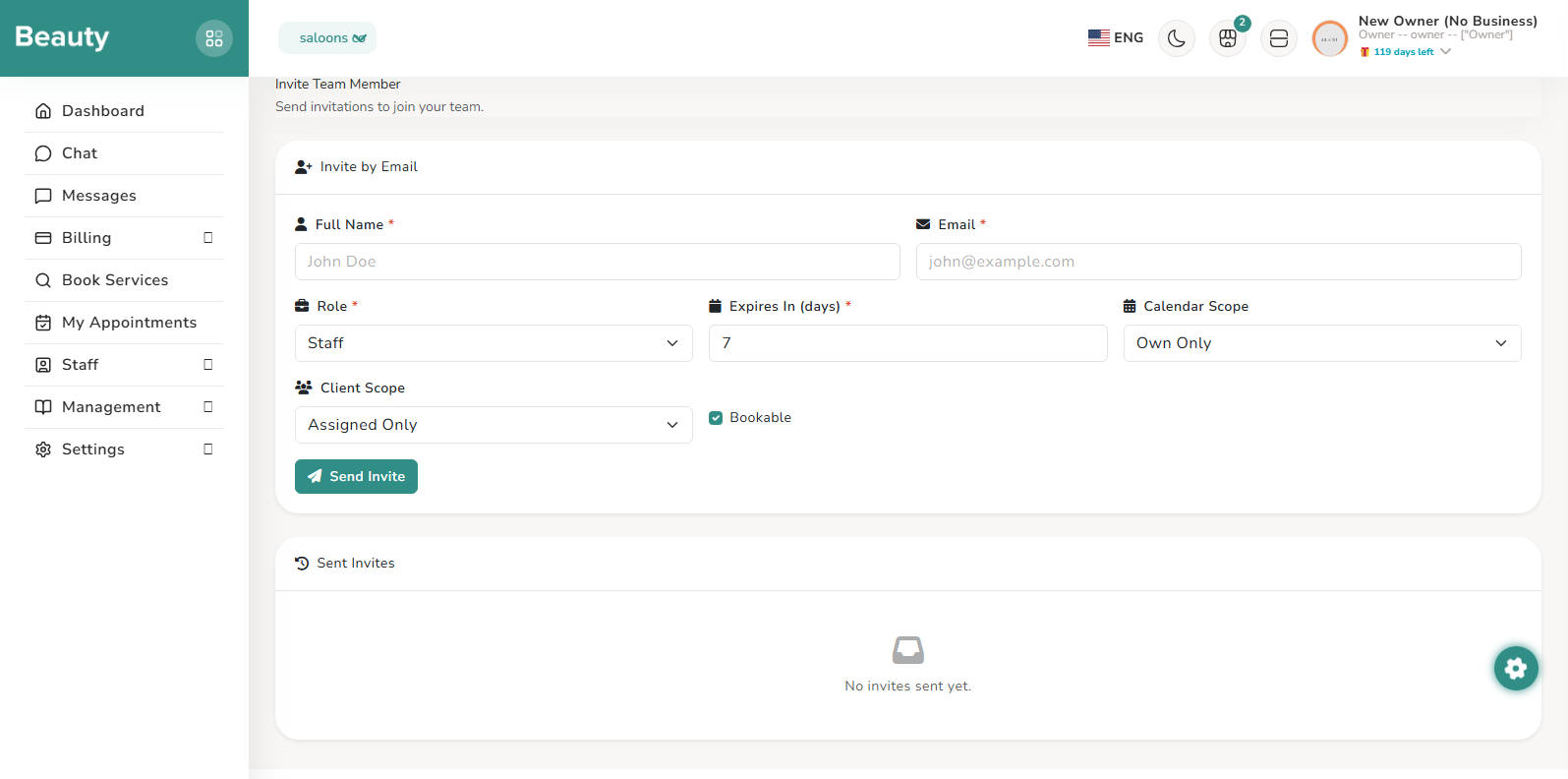
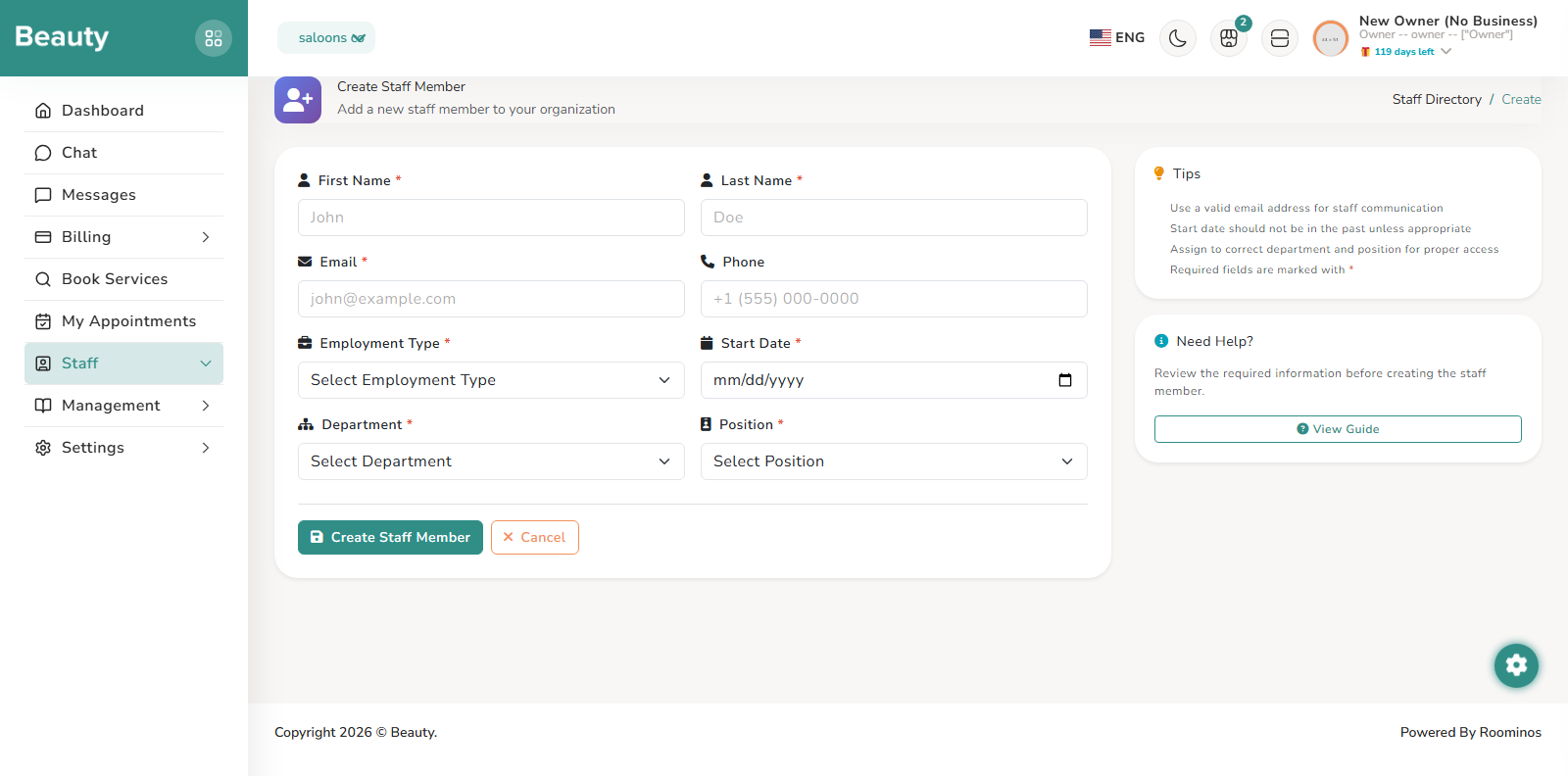
Team Members acts as a unified personnel table across simple business users and full staff records. It supports live search and status/type filtering, direct removal actions, and entry points either to detailed staff records or to manage-and-convert flow for simple members. This page is where providers maintain team hygiene and keep member state aligned with real employment state. Invite Team Member supports both individual and bulk invitation flows, including role choice, expiration control, optional scope values, and bookable toggles. Providers use this workflow to onboard people safely before full HR conversion, then monitor invite status and resend or revoke when needed. The Manage Member page then allows profile correction and conversion into full staff profile with department, position, employment type, and start date when deeper HR tracking is required.
Workflow Execution Steps
- Use Team Members for live search, status/type filtering, direct removal, and manage-and-convert entry points.
- Use Invite Team Member for individual/bulk invitation with role choice, expiration, optional scope values, and bookable toggles.
- Use Manage Member for profile correction and conversion into full staff profile when deeper HR tracking is required.
Reference Screenshots